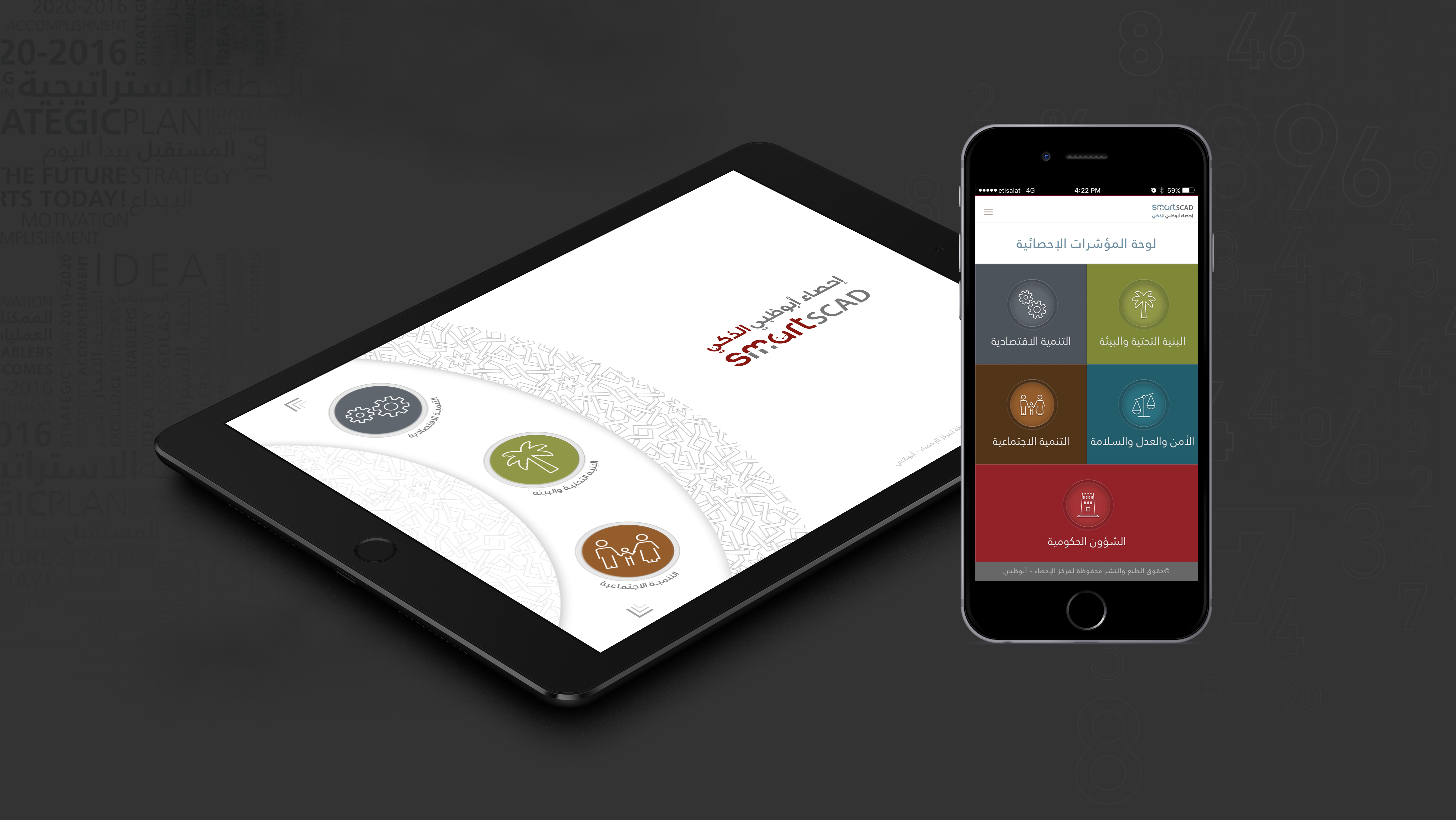
iPad & Mobile Application

eSCAD

eSCAD is a secure executive dashboard for the Statistics Centre – Abu Dhabi (SCAD). It brings the agency's official indicators together in one interface of interactive charts, giving decision-makers direct access to the data behind them.

  • Project ESCAD EXECUTIVE DASHBOARD
  • date 2015 - 2016
  • role UX/UI DESIGNER
  • disciplines UX / UI DESIGN
  • platform IPAD AND MOBILE
The problem

Leaders needed fast access to official statistics, but complex data is hard to read at a glance.

What I did

Designed an iPad and mobile dashboard with color-coded themes, linked charts and filters, from simple summaries to detail.

The outcome

A dashboard leadership could use with no dedicated training, praised for its clean, simple interface.

01Why eSCAD

SCAD relies on efficient data collection to produce timely statistics, and it has a strategic goal to share those statistics in advanced, innovative ways.

eSCAD was created to serve both goals: modernizing how data is collected and how statistics reach the people who make decisions.
02Understanding the problem

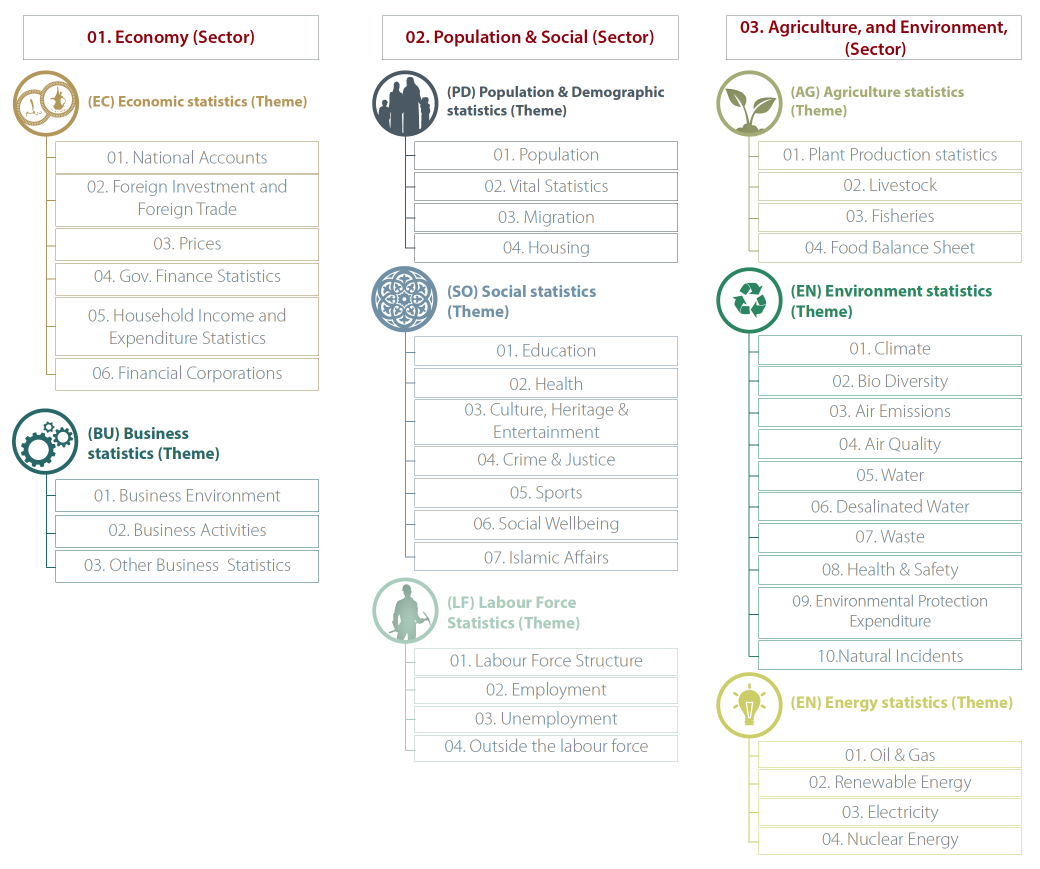
The dashboard holds predefined official indicators. Some follow worldwide standards, and some are for internal use. Authorities use them to make decisions and forecast change across six themes:

  • Economy
  • Industry & business
  • Population & demography
  • Social
  • Labor
  • Agriculture

With this much data, the design had to follow how people read visual information, moving from simple charts to more complex ones.

eSCAD information architecture tree

03Research

  • Context of use: understanding where and how executives would use the dashboard.
  • Stakeholder interviews: talking with product owners and representatives from different sectors about business goals and challenges.
  • Brainstorming: building a shared understanding of user needs.

04The challenges

  • One central interface where every eSCAD user can view all processed key performance indicators (KPIs)
  • Integration with the central database
  • User-defined maps and graphs
  • Strong navigation for finding specific information

05Key design decisions

  • At a glance first, details on demand. Each theme opens with a simple summary of its key indicators, such as population, foreign trade, hotels, foreign investment and education. Leaders can dig deeper only when they need to.
  • Linked charts. Charts respond to each other. When a user selects an economic activity in one GDP chart, the same activity is highlighted in the others.
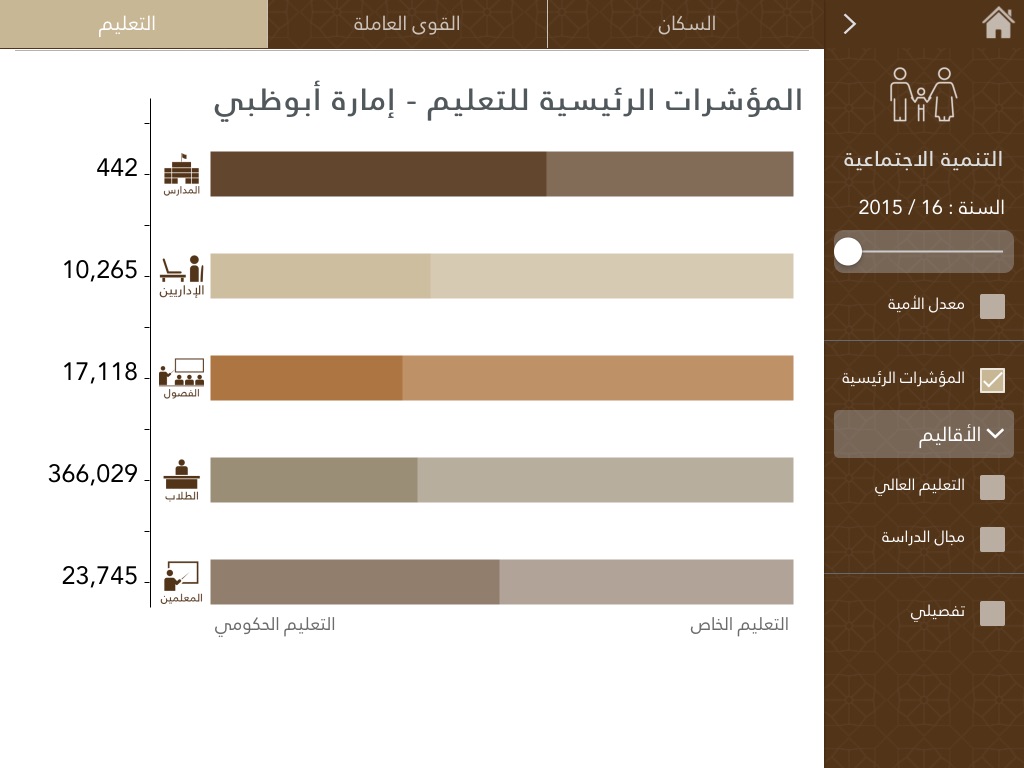
  • Filters for different needs. Users can narrow data by region, school type, citizenship and more, so each leader sees what's relevant to them.
  • Charts only where they help. Graphs show a lot of data, but they add mental effort. I used them only when necessary, and showed some key metrics as plain text.
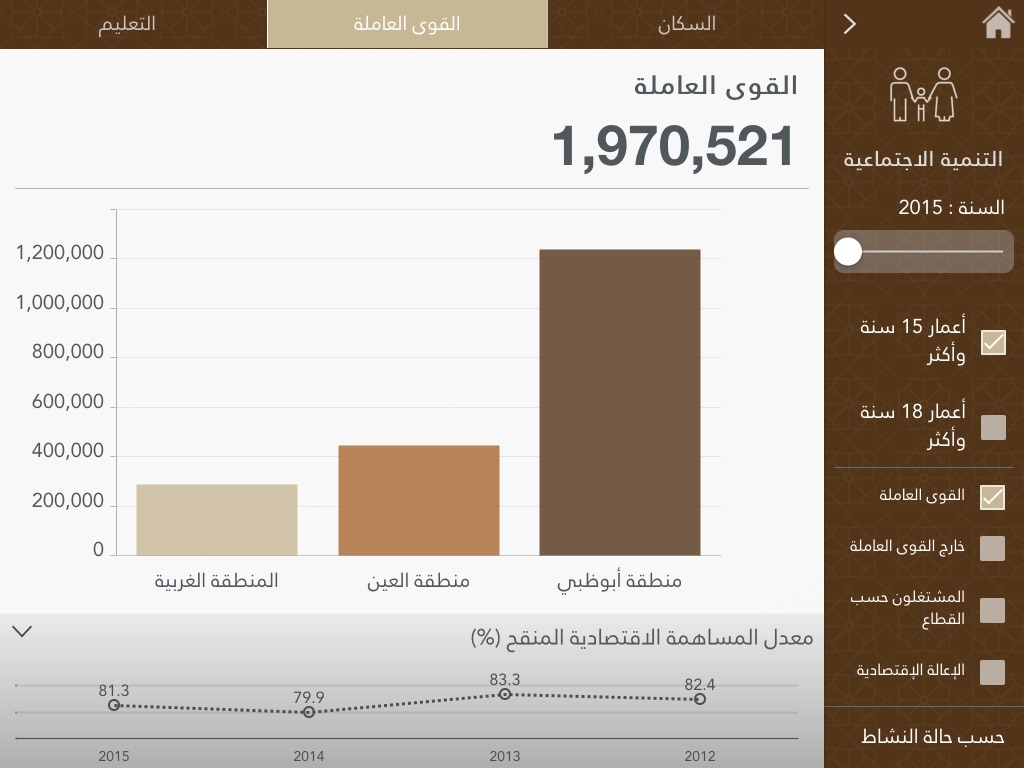
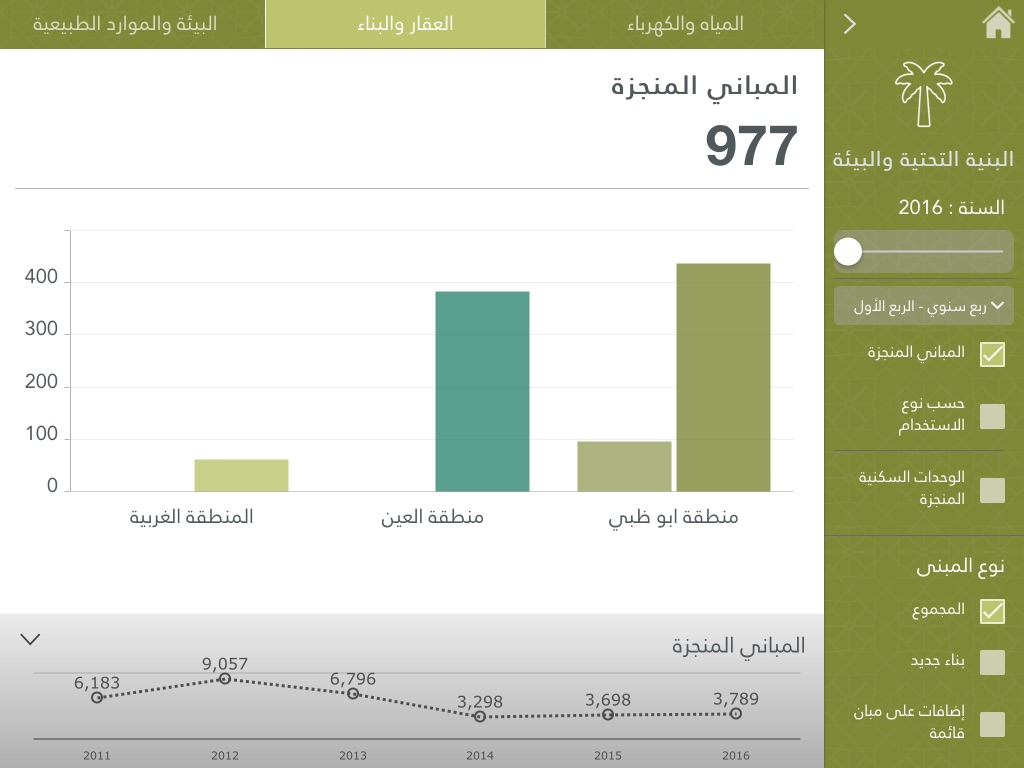
  • A color for each theme. Each theme has its own color, so users always know which section a chart belongs to.

06Design process

I applied interaction and visual design principles and produced the core UX deliverables: wireframes, functional specifications, site maps and user journeys.

The summary view for each theme took multiple rounds of user testing and iteration. Along the way, I worked with the data visualization engineering team to define advanced features for them to build, such as graphs and maps. The final result was a clean, visual one-page summary per theme that shows the most critical insights first.

eSCAD dashboard design overview

07The dashboards

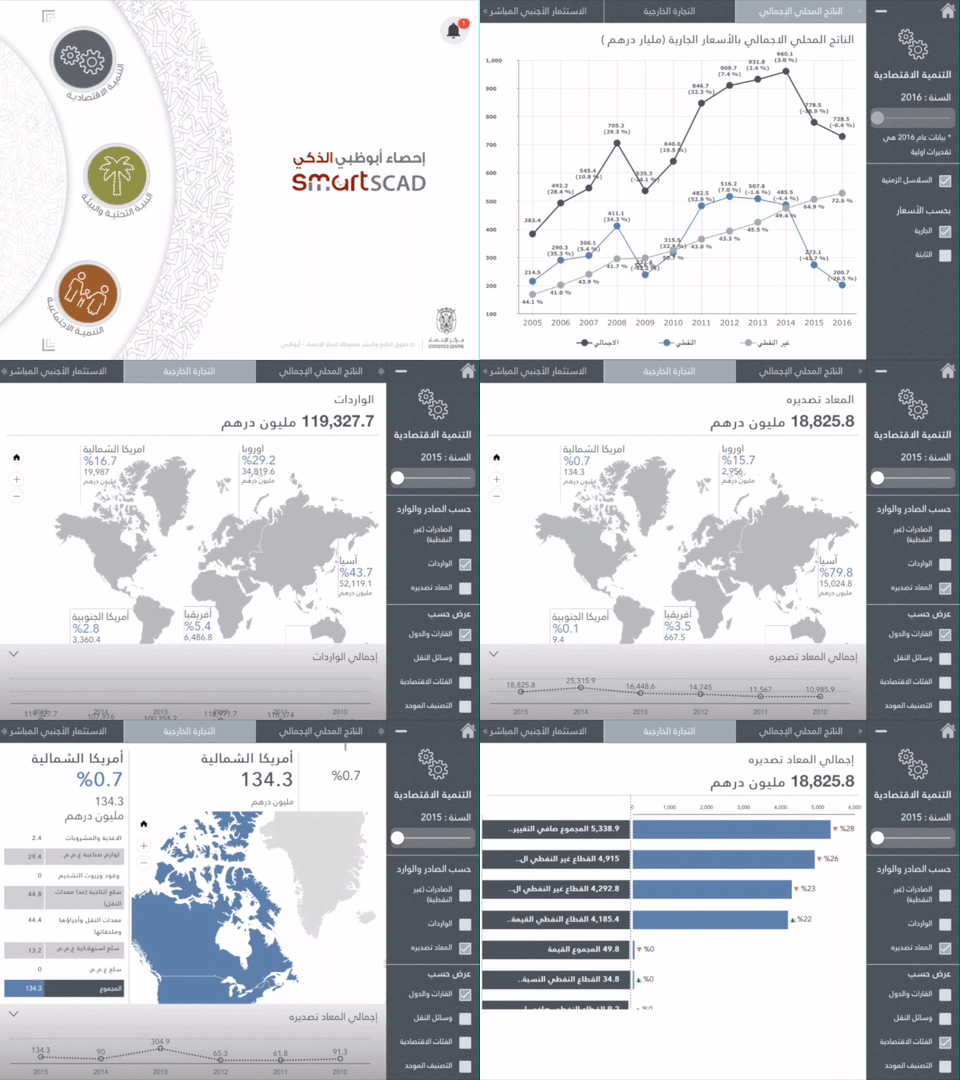
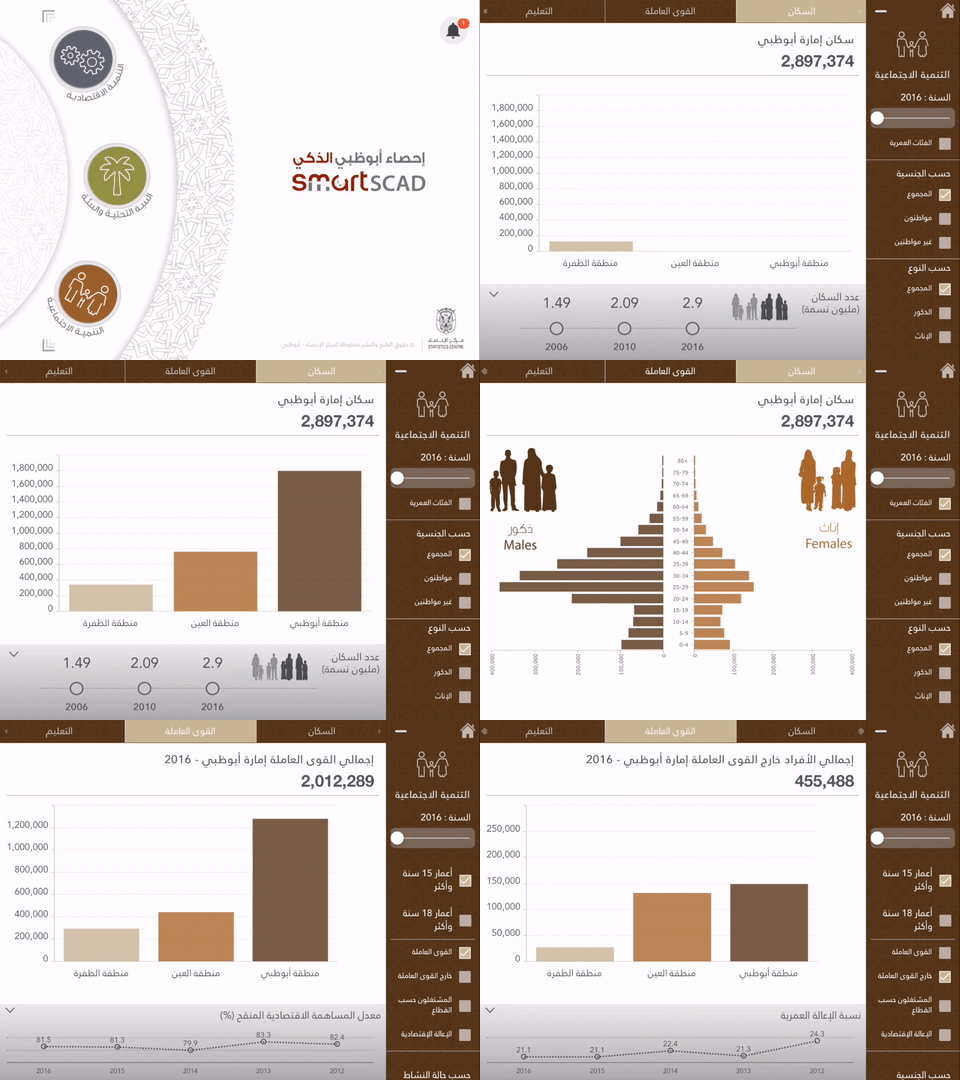
Three of the theme dashboards, each built on the same structure: a summary first, then deeper detail.

Economic statistics

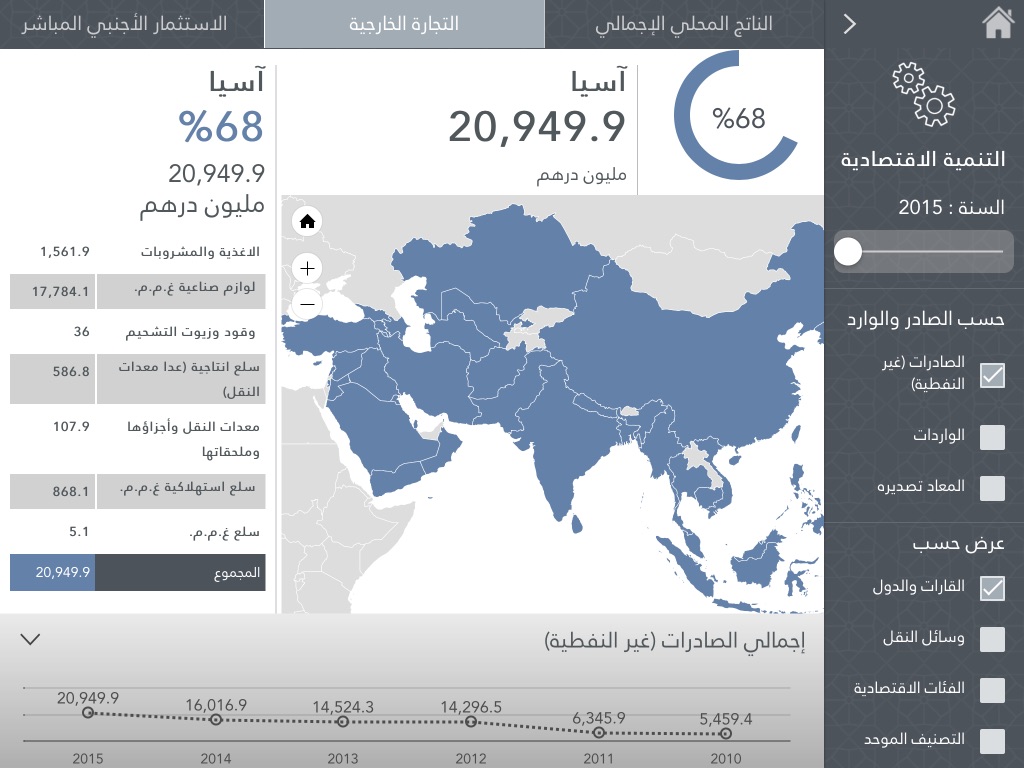
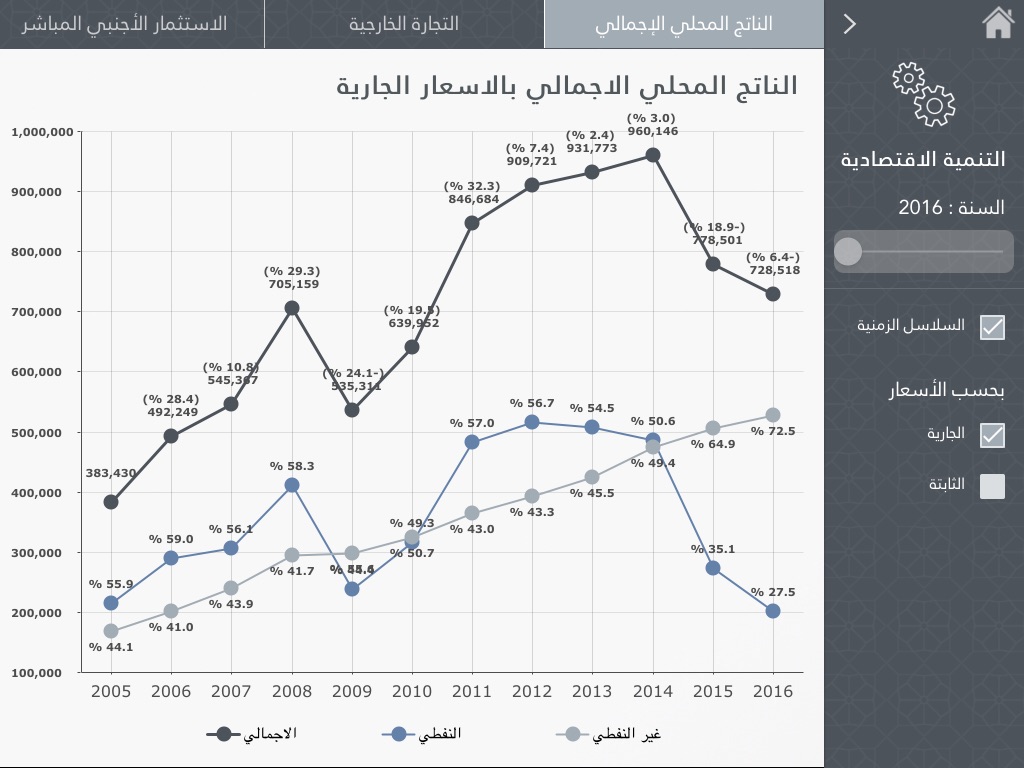
Economic development is a top priority for Abu Dhabi's leadership. This dashboard tracks an economy that has grown to compete regionally and internationally.

Economic statistics dashboard in use
Economic statistics dashboard screen
Economic statistics detail screen

Population & demographic statistics

Population estimates by region, plus birth, fertility and mortality rates, and marriage and divorce statistics.

Population and demographic dashboard in use
Population dashboard screen
Demographic detail screen

Agriculture & environment

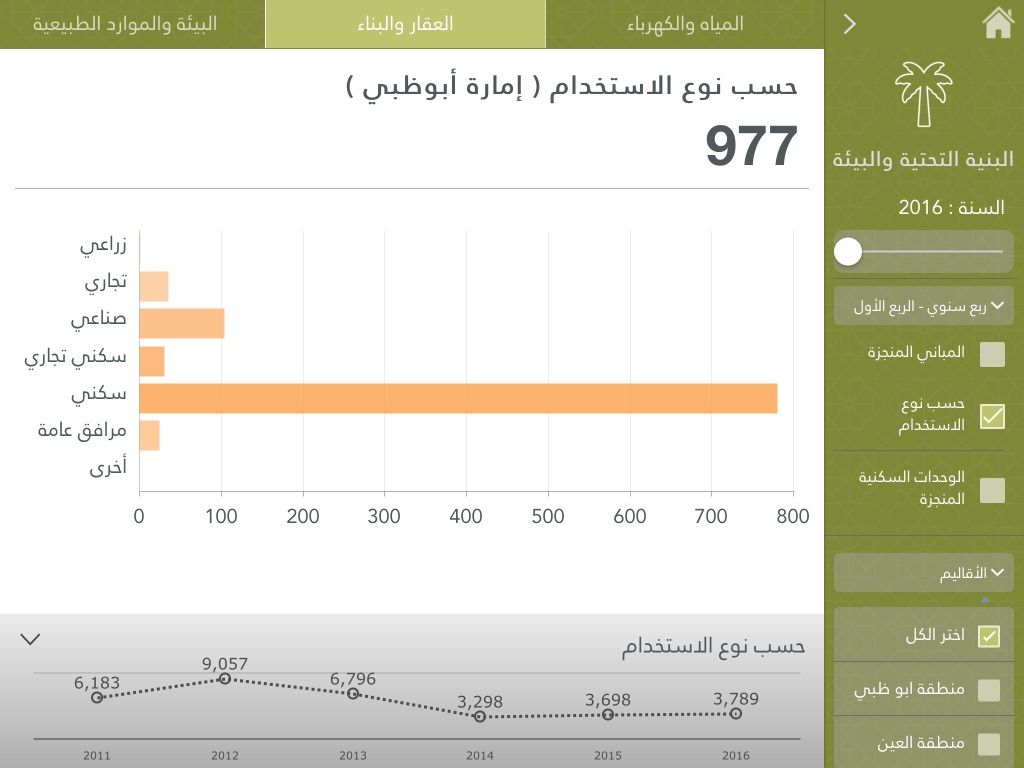
Agriculture and environment data supports planning for sustainable agriculture and food security, while protecting the environment.

Agriculture and environment dashboard screen
Agriculture and environment detail screen

On mobile

The same dashboards adapted for phones, so leaders can check key indicators on the go.

eSCAD dashboards on mobile phones

08Results

  • No dedicated training required. Leaders could use the dashboard from day one.
  • Praised by leadership for its clean, simple and attractive interface.
  • Complex data, clearly presented. The dashboard presents large amounts of data more clearly than standard data tables could.

next project

Smart Scad